


See the period before you post.
The AutoBooks trial balance is built only from rows someone added to it. Export it to Excel when you want a copy.
What it does
Adding a row to the trial balance approves it inside AutoBooks. It does not send anything to Tally. Rejected rows and rows still pending are left out.
You can see totals by ledger, expand a ledger that has more than one entry, edit or delete an approved entry, and export a styled Excel file. Each export is recorded.
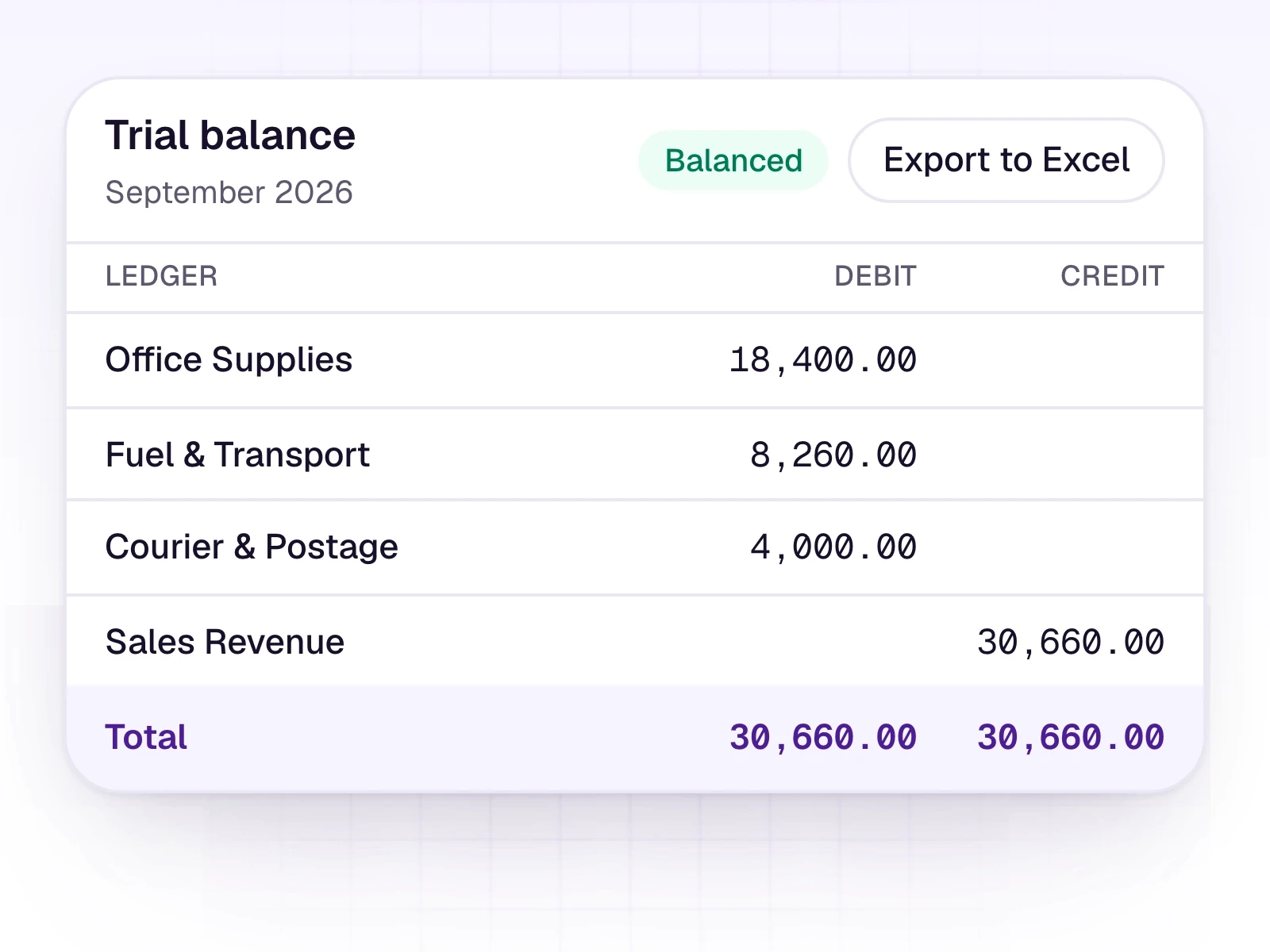
What it includes
A balanced trial balance from the rows you approved.
- Only rows added to the trial balance
- Totals by ledger, and whether the books balance
- Expand a ledger to see its entries
- Edit or delete an approved entry
- Styled Excel export, with each export recorded
- Imported trial-balance spreadsheets keep each account on its own line
Three steps
The short version of how a team uses it.
- 1
Add the rows
From Review, add the rows that should count. Pending and rejected rows stay out.
- 2
Read the balance
Check totals by ledger and open any ledger that needs a closer look.
- 3
Export if you need a file
Download a styled Excel workbook. The export itself is recorded.
Common questions
Straight answers about this part of AutoBooks.

Try Trial balance
Create a workspace and try this with your own files. Every new workspace includes a 7-day free trial.